
Robot Vacuum Missing Spots? Here’s the Real Reason Your Floors Aren’t Perfectly Clean
Tired of finding leftover crumbs? Industry experts reveal why your automated cleaner skips certain areas and the simple fixes to get your floors spotless every time
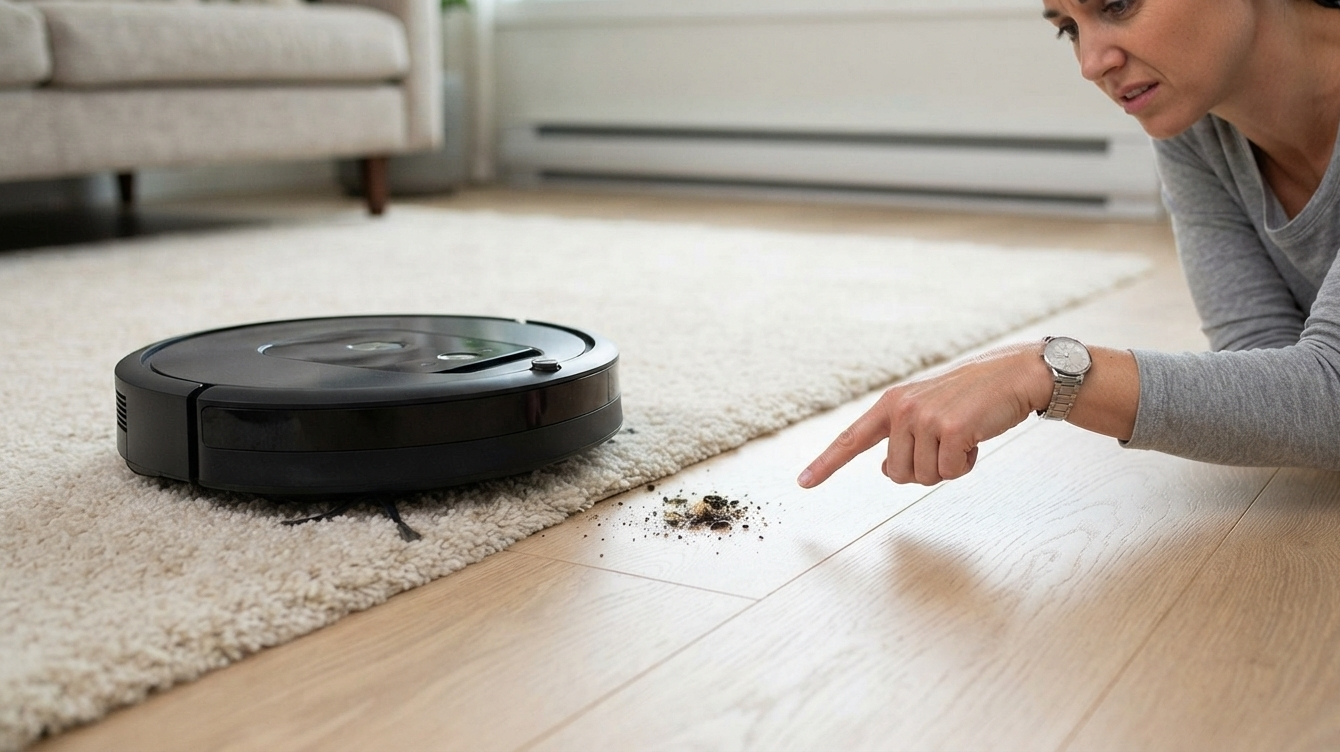
We’ve all experienced this. You set your robot vacuum to clean while you run errands, hoping to return to clean floors. When you get home, you take off your shoes and find a trail of crumbs on the kitchen rug or dust stuck behind the sofa.
It’s frustrating, isn’t it? You bought this “smart” technology to save time, not to spend more time cleaning up after it.
A Sunday Afternoon Reality Check
Take my friend Kojo as an example. He recently bought a high-end robot vacuum for his apartment in Accra. He thought it was broken because it kept ignoring the hallway. He watched it bump into his shoes and go back to the living room, completely missing the dust bunnies by the front door.
“Is this thing broken?” he asked me. After troubleshooting, we found out the robot wasn’t broken—it was just confused by the sneakers and bags he had left in the hallway. Once he cleared the floor and updated the map, the robot cleaned the hallway like a pro.
If your robot vacuum isn’t working well, it’s usually not a hardware issue. It often has to do with how your home and your habits affect the technology.
Why Your Robot Vacuum Isn’t Finishing the Job
If you’re dealing with missed spots, here are the most common culprits:
1. Navigation Limitations (Bump-and-Go vs. LiDAR)
Not all robots navigate in the same way. If you have a basic “bump-and-go” model, it moves by bumping into objects and then turning. This means it is guessing its way around and will eventually cover the space, but not effectively. In contrast, models with LiDAR or 3D obstacle recognition create an accurate map of the area using lasers. If you find the “random” approach frustrating, switching to a LiDAR-based model is the best way to improve coverage.
2. Your “No-Go” Zones Are Too Aggressive
Check your app. Many of us create “No-Go” zones to protect pet bowls or children’s play areas. Over time, we forget they’re there. If you’ve rearranged your furniture but kept the old virtual walls on your map, your robot is literally being told not to clean those areas.
3. The “Clutter Threshold”
Most robot vacuums require at least 15 inches of clear space to move reliably. If your floors are littered with charging cables, stray toys, or piles of shoes, the robot will take the path of least resistance—which usually means skipping the cluttered areas entirely.
4. The Battery-Capacity Trap
Does your robot try to cover your entire home on one charge? If it doesn’t have “recharge-and-resume” technology, it will head back to the base when the battery dies and stop. It won’t pick up where it left off, leaving the final third of your house untouched.
5. Reflective Surfaces
It sounds sci-fi, but floor-to-ceiling mirrors or glass sliding doors can actually “blind” some LiDAR sensors. The laser reflects off the glass, causing the robot to think there’s a solid wall where there isn’t one. If your robot always stalls near the glass door, try putting a small piece of painter’s tape at its eye level to help the robot “see” the barrier.
Pro-Tips for a Cleaner Home
-
Update Your Map: If you’ve moved your sofa or dining table, delete the old map and run a new “Mapping” cycle.
-
Use Spot Cleaning: Don’t wait for a full cycle to clean the crumbs under the kitchen table. Use the app’s “Spot Cleaning” or “Zone” feature to target that specific mess in two minutes.
-
Clear the Path: Before you leave, do a 30-second “Robot Sweep.” Lift your chairs and clear cables. It sounds simple, but it’s the secret to 100% coverage.
Why does my robot vacuum miss the same spot every single time?
If your robot avoids a certain area, it might be because of a saved no-go zone, an old digital map, or a physical obstacle like a low curtain or a dark rug that looks like a drop. Check your companion app to see if a virtual barrier is set too wide.
Can dark-colored rugs cause my robot vacuum to miss spots?
Yes. Many robot vacuums are equipped with drop-sensors (cliff sensors) designed to prevent them from tumbling down stairs. These sensors use infrared light, which can mistake deep black or dark grey carpet patterns for a dangerous ledge, causing the robot to abruptly turn around and avoid the area.
How often should I remap my house with a robot vacuum?
Whenever you make big changes to your layout, like moving furniture, relocating the charging dock, or adding rugs, run a fresh mapping cycle. Updating your map helps your robot navigate smoothly without running into obstacles or getting lost.
Do entry-level robot vacuums clean as well as high-end models?
Entry-level “bump-and-go” models can clean open spaces well over time, but they lack systematic navigation. High-end models use LiDAR or camera-based SLAM technology to clean in neat, parallel lines, ensuring much better coverage and fewer missed patches in complex room layouts.
TRENDS: Chasing Gold: How to Use the ‘Old Farmer’s Almanac’ Map to Plan Your Ultimate Fall Getaway
The Bottom Line
A robot vacuum is a helpful tool, not a miracle worker. To stop it from “zigzagging,” understand how it navigates and keep your floors clear. This way, you can enjoy the clean floors you paid for.
Does your robot vacuum struggle with a specific area in your home? Share your experience in the comments below!