
Do You Know Microsoft 365 (formerly Office 365)? Learn Everything About It Now
The Complete Guide to Microsoft 365: Business, Enterprise, and Expert Tips
Microsoft offers Business and Enterprise editions through monthly or annual subscriptions. These editions provide more advanced features than the Home and Personal editions, including collaboration and management tools that support security and compliance for larger organizations.
Microsoft 365 has evolved from a basic office tool bundle to a comprehensive system of cloud services, security options, and collaboration apps. Knowing these editions is essential for small startups and larger companies to stay productive and meet their business needs.
What exactly is Microsoft 365?
For nearly three decades, we knew it as “Microsoft Office”—a one-time purchase of Word, Excel, and PowerPoint. Since 2011, Microsoft 365 has changed the game in two major ways:
-
It’s a Subscription: You pay monthly or yearly, ensuring you always have the latest version.
-
It’s Cloud-First: It combines traditional desktop apps with powerful online services like business-class email and secure cloud storage.

Key Online Services Included
The exact mix depends on your plan, but these four services are the backbone of the modern workplace:
-
Exchange Online: Business-class email with mailboxes up to 100 GB. It includes professional spam filtering and works perfectly on Outlook for Windows, Mac, or mobile.
-
OneDrive for Business: Every subscriber gets 1 TB of personal cloud storage. With “Files on Demand,” you can see all your cloud files in your folder explorer without taking up space on your hard drive.
-
Microsoft Teams: The ultimate replacement for Skype. It handles HD video calls, instant messaging, and team collaboration. It’s been the go-to tool for remote work since 2020.
-
SharePoint Online: A sleek interface for teams to share files and sync information securely across the entire organization.

Desktop and Mobile Apps
If your plan includes desktop apps, you get the full suite: Outlook, Word, Excel, PowerPoint, and OneNote. * Multi-Device License: You can install these on up to 5 phones, 5 tablets, and 5 PCs/Macs simultaneously.
-
Web Versions: Even without the software installed, you can edit files directly in any web browser.
-
Mobile Unity: The unified Office app for iOS and Android lets you create and edit documents on the go from a single interface.
Choosing the Right Plan for Your Business
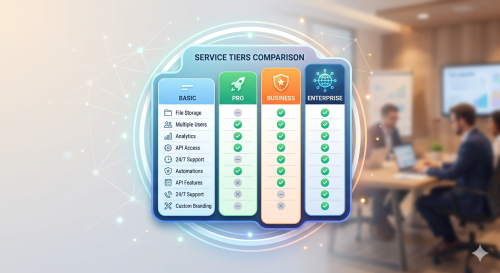
For Small Businesses (Up to 300 Users)
-
Business Basic ($6.00/user): Best if you only need cloud email and storage but already have the desktop apps.
-
Apps for Business ($8.25/user): Best if you want the desktop apps and OneDrive, but want to keep your email elsewhere.
-
Business Standard ($12.50/user): The most popular “everything” bundle.
-
Business Premium ($22.00/user): Everything in Standard, plus advanced cyber-threat protection and device management.
For Large Enterprises (Unlimited Users)
-
Microsoft 365 E3 ($36.00/user): The powerhouse for big companies, including advanced security and legal “discovery” tools.
-
Microsoft 365 E5 ($57.00/user): Includes elite security analytics and Power BI for advanced business data.
Expert Tips: Mastering Windows & OneDrive
Mastering OneDrive
If you haven’t checked out OneDrive lately, you’re missing out. Microsoft has recently added features to help you back up personal photos and files automatically. It’s no longer just a storage folder; it’s a full backup solution.
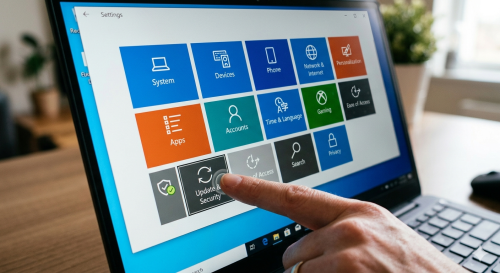
Windows 10/11 Post-Upgrade Checklist
Before you jump back into work after an update, do these three things:
-
Check Privacy Settings: Ensure your data sharing is set to your comfort level.
-
Audit Security: Confirm your firewall is active.
-
Clean the Clutter: Remove “suggested apps” that Microsoft occasionally adds to your start menu.
The “Hidden” Free Upgrade
While the official “free upgrade” period ended years ago, many users find that the old upgrade tools still work. If you have a valid old license, you can often still move to the latest Windows version with a valid digital license at no extra cost.
MUST READ – Google has updated its AI Mode with Canvas and three other features.
Final Thoughts
Microsoft 365 is designed to be “secure by default,” but it requires a bit of management to get it just right. Whether you’re managing your own VPS for a blog or running a music site, these tools keep your professional life organized.